 Dolmi
DolmiEvery meeting, in English.
Dolmi listens to Teams, Zoom, Meet or any app on your PC and shows live English subtitles in a floating bar. Speech recognition and translation run on your PC, so your audio never leaves it.
v2.0.0 · 97 MB · Windows 10 / 11 · free and open source (MIT)
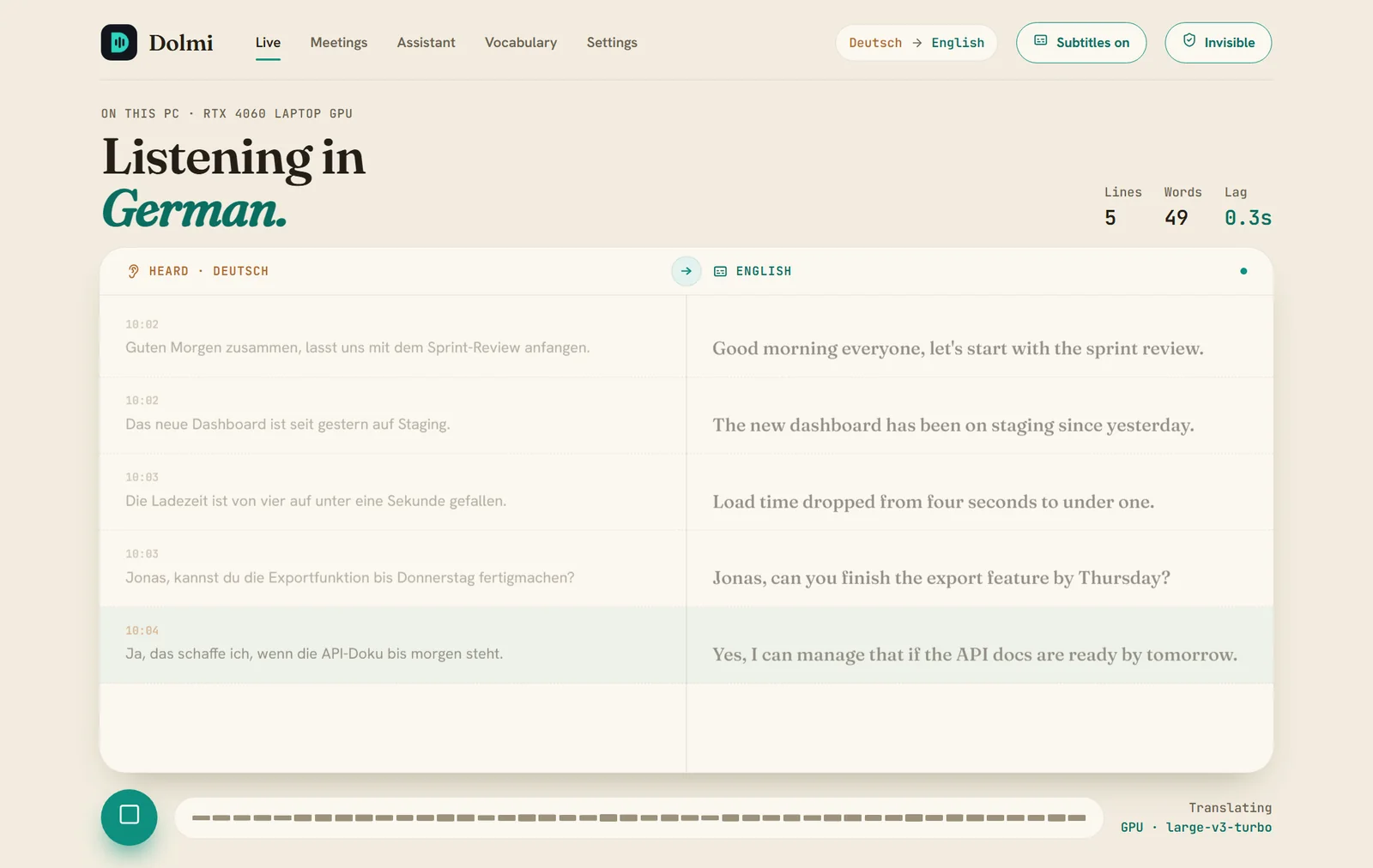
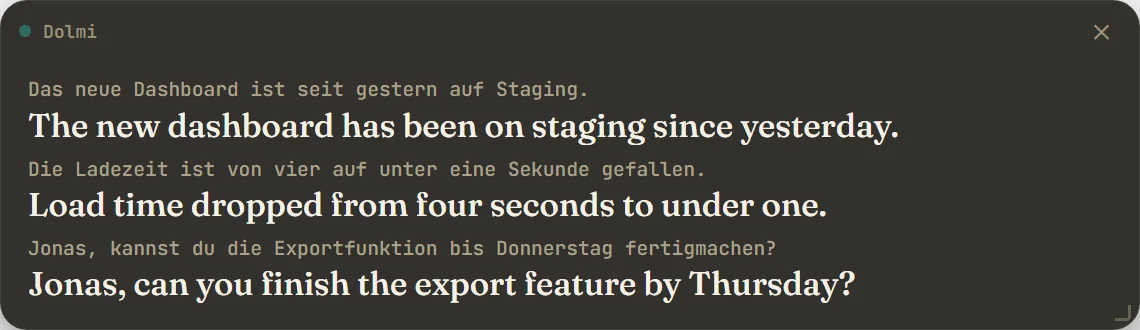
Built for the meeting you're in now.
Subtitles while people talk, a record you can trust afterwards, and an assistant if you want one.
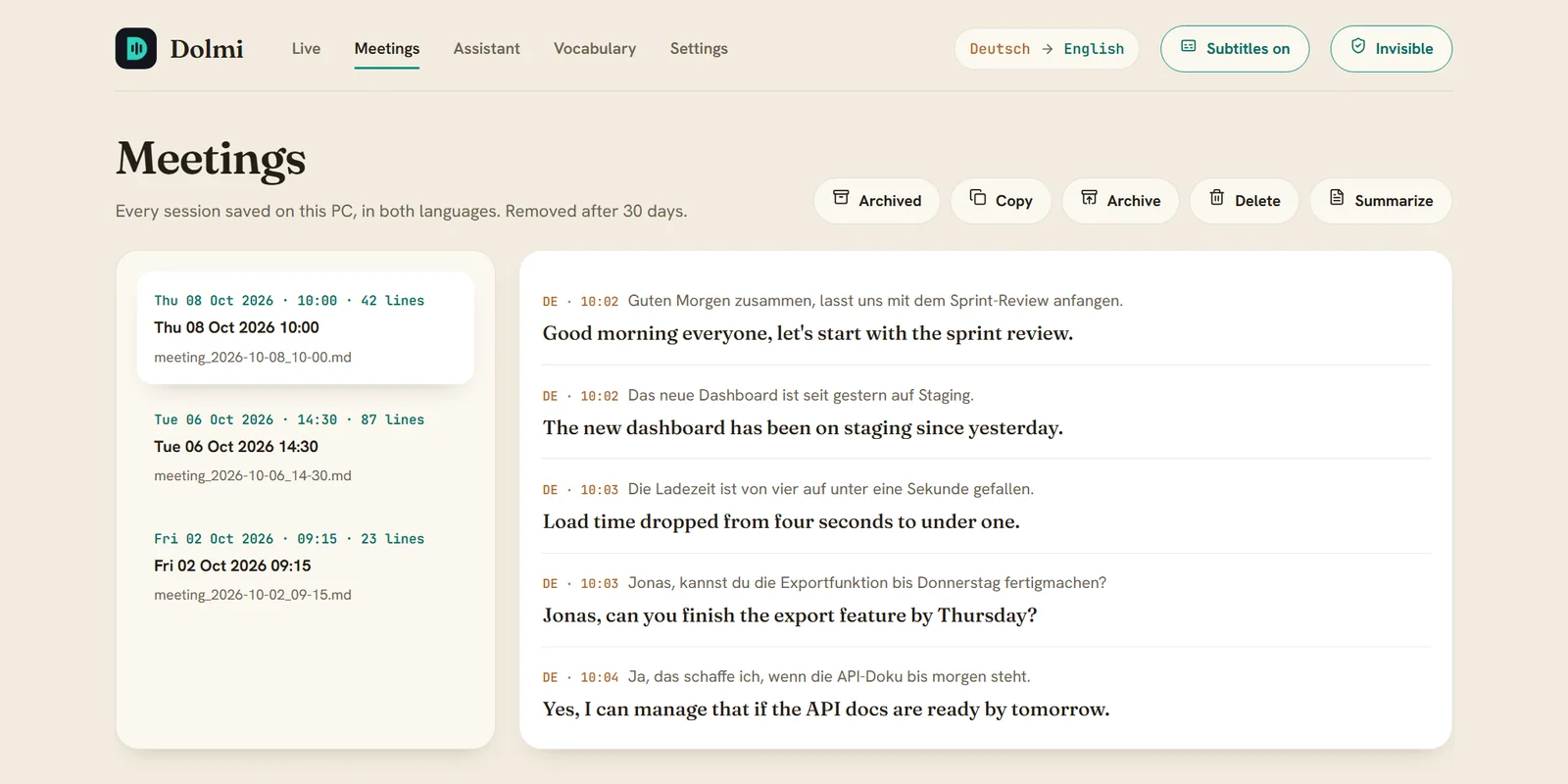
Every meeting saved in both languages.
Each session is kept as Markdown and SRT, in the original language and in English, in your Documents folder.
- Copy, archive, delete or summarize any meeting
- Turn saving off, or auto-delete after 7, 30 or 90 days
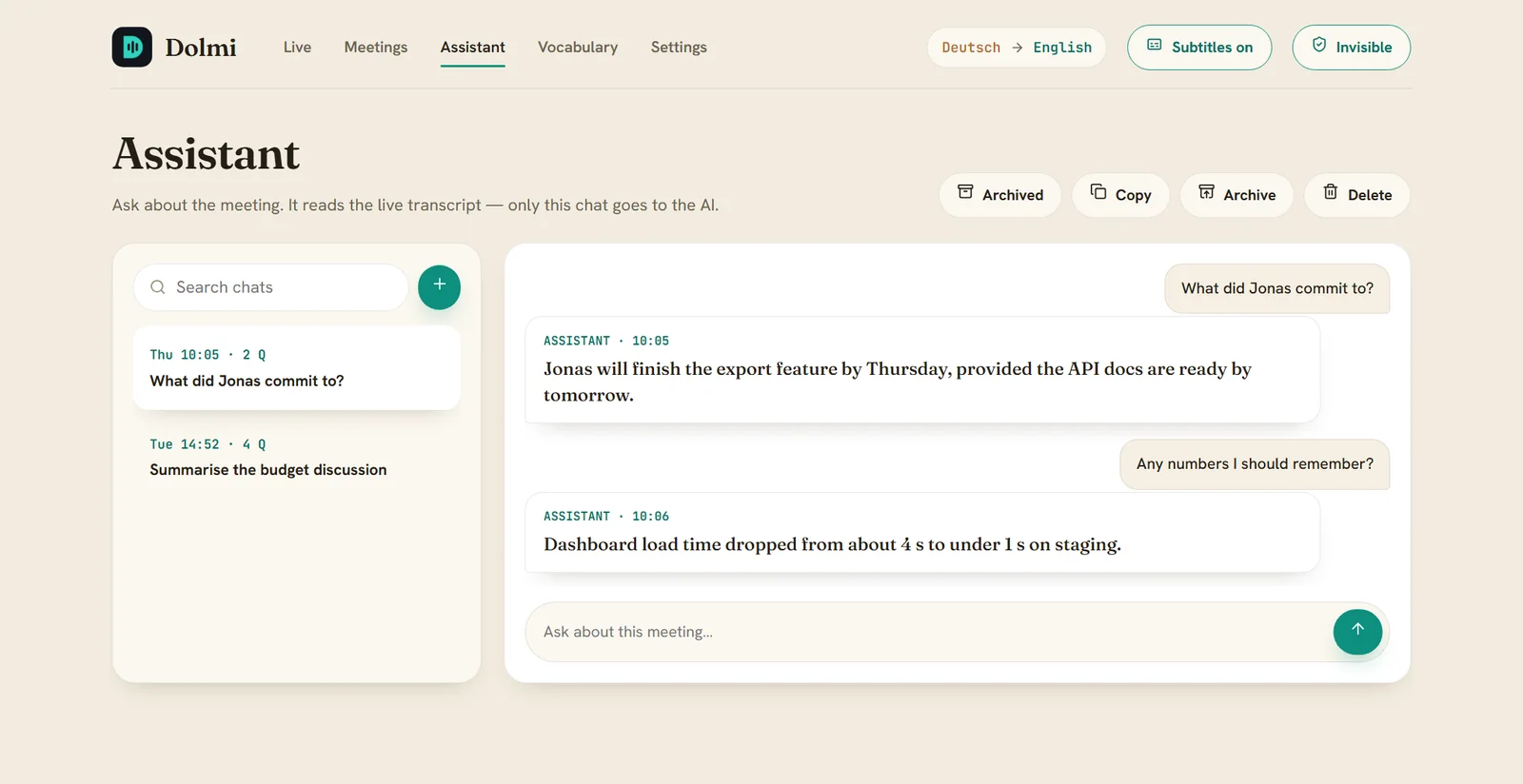
Ask about the meeting while it happens.
"What did Jonas commit to?" The assistant answers from the live transcript, using your own Claude or OpenAI key. Without a key, Dolmi sends nothing anywhere.
- Chats are searchable and can be copied or archived
- Only English text is sent, never audio
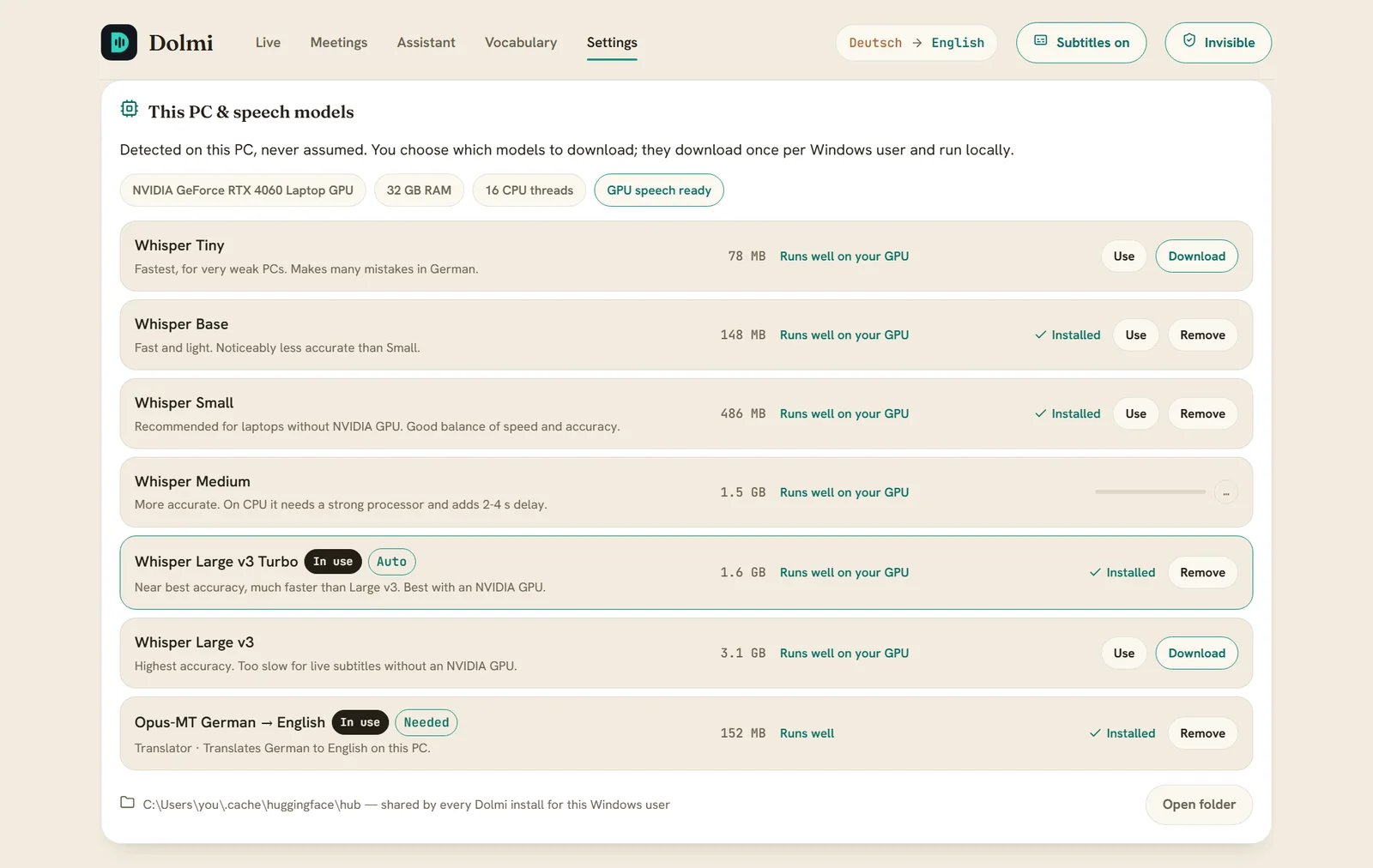
Dolmi checks your PC before it downloads anything.
It reads your GPU, RAM and CPU, says how well each Whisper model will run on this machine, and asks before any large download.
- Download, switch or remove models in one click
- NVIDIA GPU? Large v3 Turbo runs live
Any meeting app
Dolmi hears what Windows plays, so it works with Teams, Zoom, Meet, Slack or a browser tab. You still hear everything, and you don't need a virtual audio cable.
Off screen shares
Invisible mode keeps the window and subtitle bar out of screen shares, recordings and the taskbar. Ctrl+Alt+Shift+D turns it off.
Vocabulary & glossary
Teach Dolmi your names, products and terms so they're spelled and translated correctly. Changes apply without a restart.
Clean up automatically
Turn off saving entirely, or have old transcripts deleted after 7, 30 or 90 days.
Paper and Ink
A light and a dark theme, an adjustable subtitle size and opacity, and a bar you can drag and resize anywhere.
A proper Windows app
An installer with a Start-menu shortcut, clean upgrades and uninstall, and no admin rights needed.
From speaker to subtitle.
Every step runs on your PC. No PyTorch, no cloud speech service.
Capture
Records what Windows plays. You still hear it.
WASAPI loopbackSplit
Cuts the audio at natural pauses.
Silero VADTranscribe
Turns speech into text in the spoken language.
faster-whisperTranslate
Translates each line into English.
Opus-MT · CTranslate2Show & save
The subtitle bar, plus a transcript in both languages.
.md + .srtYour audio stays home.
Dolmi uses the network only for things you start yourself: downloading a model, or the optional assistant.
Local speech
Recognition and translation run on your PC. Audio is never uploaded.
No account
No sign-up, no telemetry, no analytics, and no tracking of any kind.
AI is optional
The assistant uses your own key and sends English text only. Without a key, nothing is sent.
Your files
Transcripts live in your Documents folder. Delete them yourself, or let Dolmi do it on a schedule.
Transcribing other people processes their personal data, so tell meeting participants you're using live transcription. Dolmi reminds you once. Read the full privacy policy.
Pick for your PC, or let Dolmi pick.
Models download once and then work offline. Each language also needs a translator of about 150 MB.
| Model | Size | Good for |
|---|---|---|
| Whisper Small AUTO · CPU | 486 MB | PCs without an NVIDIA GPU |
| Whisper Medium | 1.5 GB | Better names and terms; adds 2–4 s on a CPU |
| Whisper Large v3 Turbo AUTO · GPU | 1.6 GB | NVIDIA GPU: near-best accuracy, still fast |
| Whisper Large v3 | 3.1 GB | Highest accuracy; needs an NVIDIA GPU for live use |
Running in two minutes.
- Download the installerDolmi-Setup-2.0.0.exe from GitHub Releases.
- Run it, no admin neededIt installs for your user. Tick GPU speech recognition if you have an NVIDIA card (about 1.3 GB).
- Press StartDolmi suggests the model that suits your PC and asks before downloading it.
- System
- Windows 10 (2004+) or 11, 64-bit
- Memory
- 8 GB RAM, 16 GB recommended
- GPU
- Not needed. NVIDIA with 4 GB+ VRAM for Large v3 Turbo
- Audio
- Any speakers or headphones
Windows may warn you. The installer isn't code-signed yet, so you may see "Windows protected your PC". Click More info → Run anyway. Every build comes from a tagged commit and is install-tested in public CI.
Questions, answered.
Does Dolmi need the internet?
Only to download speech and translation models the first time, and for the optional assistant. After that, live subtitles work fully offline.
Which languages does it understand?
27 spoken languages plus auto-detect, with German as the default. Subtitles are always in English. A few languages without their own translator use a multilingual model, which makes more mistakes.
Do I need a graphics card?
No. Whisper Small runs well on a normal CPU. An NVIDIA GPU with 4 GB or more lets you use Large v3 Turbo, which is more accurate and still fast.
Will other people in the call see the subtitles?
Not if you turn on invisible mode, which leaves Dolmi out of screen shares and recordings. Please still tell people you're using live transcription.
Is it really free?
Yes. Dolmi is MIT-licensed and the source is on GitHub. The optional assistant uses your own AI provider key, so any cost there is between you and the provider.